
Check Best Thermostat Pricing in Amazon
** As an Amazon Associate, I earn from qualifying purchases.
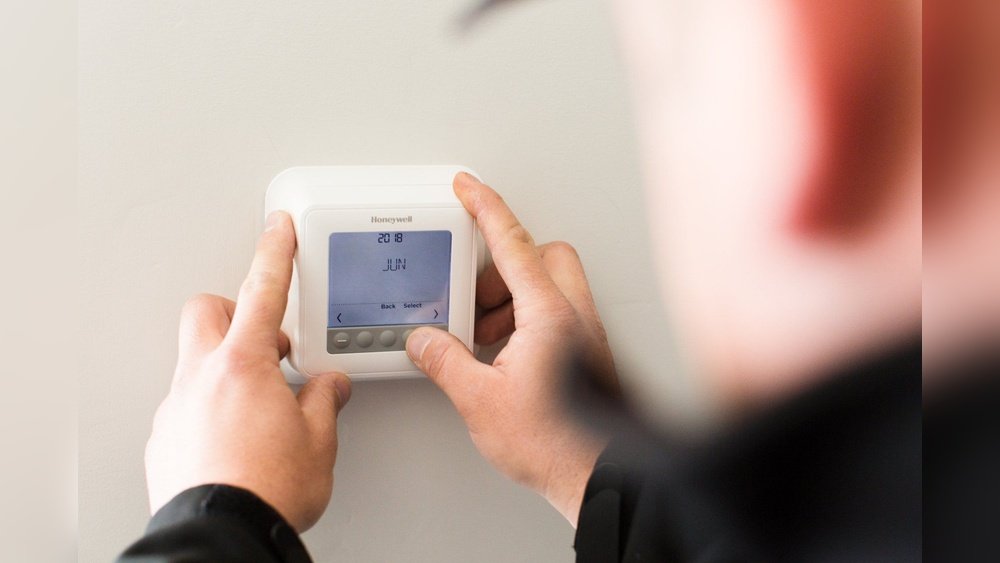
Is your thermostat acting up or just not responding the way it should? Knowing how to reset your thermostat can save you time, frustration, and even money on energy bills.
Whether your heating or cooling system isn’t kicking in or the settings seem stuck, a simple reset might be all you need to get things back on track. You’ll discover easy, step-by-step instructions that anyone can follow to reset a thermostat quickly and safely.
Keep reading, and you’ll have your comfort system working perfectly again in no time.
Signs You Need To Reset Your Thermostat
Knowing when to reset your thermostat can save you time and money. It also helps keep your home comfortable. Certain signs clearly show your thermostat needs a reset. Spotting these early prevents bigger problems later.
Unresponsive Controls
Your thermostat should respond quickly to commands. If you press buttons and nothing happens, it shows a problem. The screen might freeze or stay blank. This unresponsiveness means the device needs a reset to work properly again.
Incorrect Temperature Reading
The thermostat must display the correct room temperature. If it shows a wrong number, heating or cooling won’t work well. This wrong reading confuses your system. Resetting can fix the sensor errors and bring accuracy back.
Heating Or Cooling Issues
Heating or cooling that turns on and off randomly is a warning sign. Your thermostat might not send the right signals. This causes discomfort in your home. Resetting the thermostat can restore smooth operation and steady temperatures.
Types Of Thermostats
Thermostats control the temperature in your home. They come in different types. Each type works in its own way. Knowing your thermostat type helps in resetting it correctly.
Manual Thermostats
Manual thermostats are the simplest kind. You turn a dial or move a lever to set the temperature. They do not have any programming features. Resetting usually means adjusting the dial back to a default or desired setting.
Programmable Thermostats
Programmable thermostats allow setting schedules for heating and cooling. You can change settings for different times of the day. Resetting may involve clearing schedules or restoring factory settings. This helps fix issues or start fresh with new timings.
Smart Thermostats
Smart thermostats connect to Wi-Fi and work with apps. They learn your habits and adjust automatically. Resetting a smart thermostat often requires using its app or a physical reset button. This restores settings and can solve connectivity or performance problems.
Basic Reset Methods
Resetting a thermostat can fix many common problems. Basic reset methods are simple and quick. These methods can help your thermostat work properly again. No special tools or skills are needed. Just follow the steps carefully.
Power Cycle Reset
Turn off the thermostat. You can do this by switching off the power at the breaker or using the thermostat’s power button. Wait about 30 seconds to 1 minute. Turn the power back on. This allows the thermostat to restart fresh. Check if the issue is fixed.
Button Reset
Many thermostats have a reset button. Look for a small pinhole or button on the device. Use a paperclip or small tool to press and hold the button. Hold it for about 5 to 10 seconds. Release the button and wait for the thermostat to reboot. This clears errors and resets settings.
Removing And Reinstalling Batteries
Some thermostats run on batteries. Remove the thermostat cover to access the batteries. Take out the batteries carefully. Wait for 1 to 2 minutes. Reinsert the batteries in the correct direction. Close the cover and turn the thermostat on. This method resets the device and can solve power issues.
Credit: www.youtube.com
Resetting Specific Thermostat Models
Resetting a thermostat can fix many common issues like unresponsive controls or wrong temperature readings. Each thermostat brand has a unique reset process. Knowing the right steps saves time and avoids damage. Below, find simple instructions for popular thermostat models.
Honeywell Thermostats
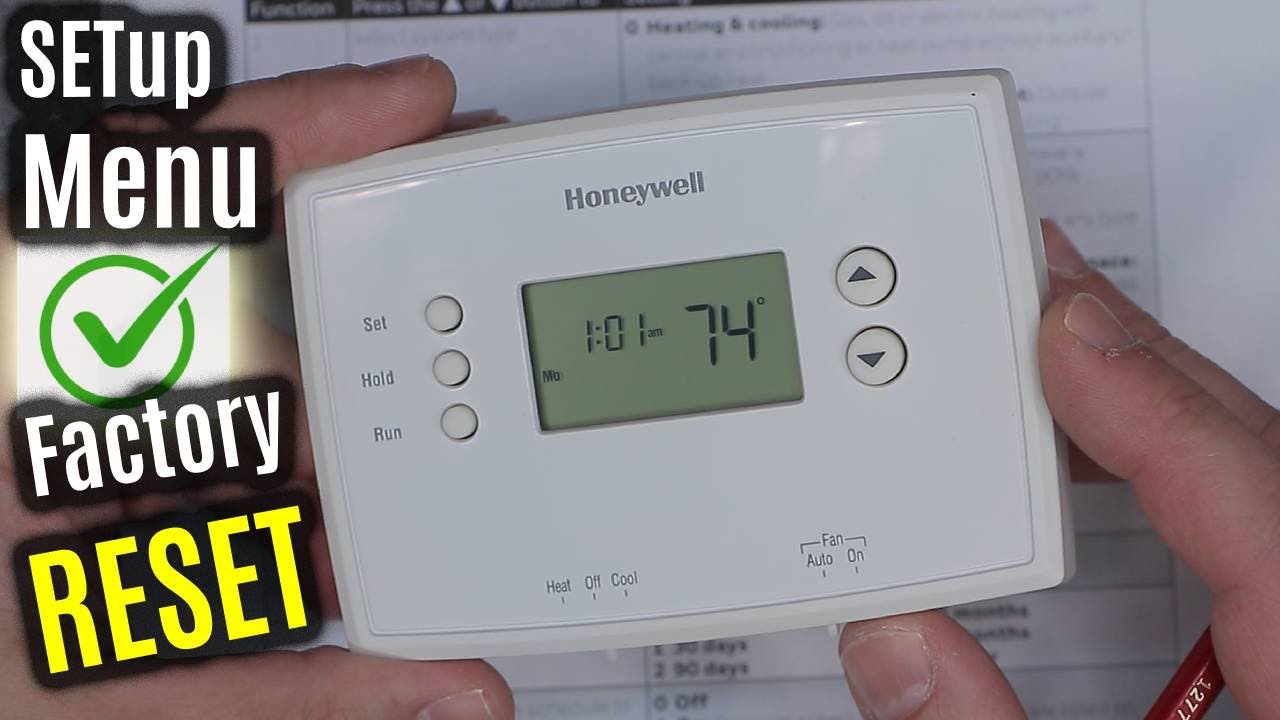
Start by turning off the thermostat. Look for the reset button on the back or inside the cover. Press and hold it for about 5 seconds. Release the button when the display changes or blinks. The thermostat will restart and return to default settings. For some models, removing batteries for a minute works too.
Nest Thermostats
Press the thermostat ring to open the menu. Turn the ring to select “Settings.” Press to enter. Scroll to “Reset” and press again. Choose the reset type: all settings or just the network. Confirm by selecting “Yes.” The thermostat restarts and clears saved data. This process helps solve connection and software issues.
Ecobee Thermostats
Touch the screen to wake the thermostat. Go to the main menu by selecting “Menu.” Find “Settings” and open it. Scroll down to “Reset” and tap it. Options include resetting the thermostat or network. Pick the option needed and confirm. The device will reboot and restore factory defaults. Use this to fix errors or prepare for a new setup.
Check Best Thermostat Pricing in Amazon
** As an Amazon Associate, I earn from qualifying purchases.
When To Perform A Factory Reset
Knowing when to perform a factory reset on your thermostat helps keep it running well. A reset clears all your settings and returns the device to its original state. This step is useful if the thermostat acts oddly or stops working properly. Resetting is not for daily use but for specific problems that other fixes cannot solve.
Restoring Default Settings
Perform a factory reset to restore default settings. This removes all custom schedules and temperature preferences. It helps if you want to start fresh or if settings are confusing the thermostat. After resetting, you need to set up the thermostat again. This ensures everything works as it should from the start.
Troubleshooting Persistent Issues
Use a factory reset for persistent issues that do not go away. Problems like freezing screens, wrong temperature readings, or unresponsive controls may require this step. Resetting can clear software glitches or errors. It often fixes problems that simple restarts do not solve. Always try other troubleshooting steps before resetting.

Credit: www.gshomeservices.com
Tips To Avoid Frequent Resets
Frequent thermostat resets can be frustrating and interrupt your comfort. Avoiding these resets helps your system run smoothly. Simple care and attention go a long way in preventing issues. Follow these tips to keep your thermostat stable and reliable.
Regular Maintenance
Check your thermostat regularly for dust and dirt buildup. Clean the device gently with a soft cloth. Replace batteries every year to ensure consistent power. Regular checks prevent minor problems from becoming bigger. Keep sensors clear and free of obstructions.
Updating Firmware
Smart thermostats need software updates to function well. Updates fix bugs and improve performance. Connect your thermostat to Wi-Fi to receive updates automatically. Check the app or manual for update instructions. Updated firmware reduces glitches and the need to reset.
Proper Installation
Place your thermostat away from direct sunlight and heat sources. Avoid locations near windows or doors with drafts. Use a level to mount the thermostat straight on the wall. Follow manufacturer guidelines during installation. Correct placement helps the thermostat read temperatures accurately.
When To Call A Professional
Resetting a thermostat can solve many common problems. Sometimes, the issue is bigger than a simple reset. Knowing when to call a professional helps keep your system safe and working well. Here are clear signs you should ask for expert help.
Complex Wiring Problems
Thermostats connect to many wires inside the wall. If you see tangled or damaged wires, stop. Complex wiring needs a trained technician. Wrong connections can cause more damage. Professionals know how to handle wiring safely.
Persistent Malfunctions
If your thermostat resets but still acts strange, it is a bad sign. Constant errors or the system turning off often means a deeper issue. Professionals can find hidden problems you might miss. They fix the root cause, not just the symptoms.
Safety Concerns
Electricity and heating systems carry risks. If you smell burning or see sparks, turn off the system immediately. Do not try to fix electrical problems yourself. A professional has the tools and knowledge to protect your home and family.

Credit: rightnowheatcool.com
Frequently Asked Questions
How Do I Reset A Digital Thermostat?
To reset a digital thermostat, locate the reset button or remove the batteries for 30 seconds. Reinsert batteries or press reset to restart the device and restore factory settings.
Can I Reset A Thermostat Without Losing Settings?
Most modern thermostats allow a soft reset that preserves your settings. Check your thermostat manual for a “restart” option rather than a full factory reset.
Why Won’t My Thermostat Reset Properly?
A thermostat may not reset due to low batteries, faulty wiring, or software glitches. Ensure power is off before resetting and consult a technician if problems persist.
How Often Should I Reset My Thermostat?
Reset your thermostat only when it malfunctions or after power outages. Routine resets are unnecessary and may disrupt programmed schedules and energy efficiency.
Conclusion
Resetting a thermostat can solve many common issues. Follow the steps carefully to avoid mistakes. A simple reset often restores proper function quickly. Keep your thermostat manual handy for specific instructions. Regular maintenance helps your system run smoothly. Knowing how to reset saves time and money.
Take a moment to check settings after resetting. You can enjoy better comfort and energy use. Stay calm and patient throughout the process. Small fixes like this make a big difference.
Check Best Thermostat Pricing in Amazon
** As an Amazon Associate, I earn from qualifying purchases.