
Check Best Thermostat Pricing in Amazon
** As an Amazon Associate, I earn from qualifying purchases.
Is your digital thermostat acting up or not responding the way it should? You’re not alone.
Sometimes, a simple reset is all it takes to get your thermostat back on track and your home comfortable again. In this guide, you’ll learn easy steps to reset your digital thermostat quickly and safely—no technical skills needed. Keep reading to discover how a quick reset can save you time, frustration, and even money on your energy bills.
Reasons To Reset Your Thermostat
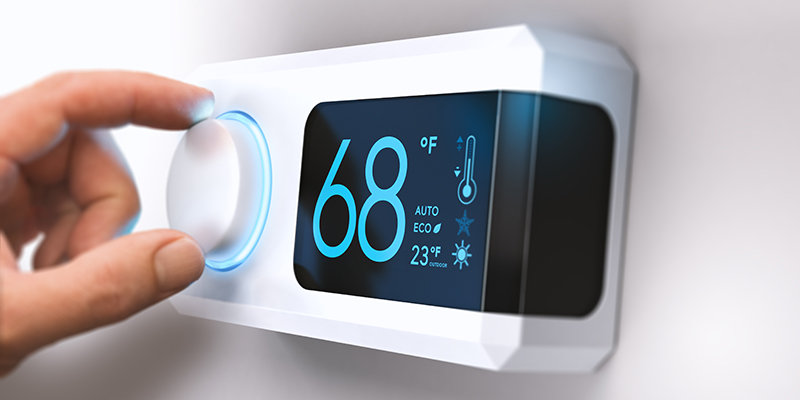
Resetting a digital thermostat can fix many problems and improve its performance. Over time, thermostats may stop working correctly due to software glitches or power issues. Resetting clears errors and restores normal operation. It helps keep your heating and cooling system running smoothly. Understanding why to reset your thermostat helps you maintain comfort at home.
Common Issues That Require Reset
Thermostats may freeze or stop responding. The screen might go blank or show wrong temperatures. Sometimes, the system won’t turn on or off as programmed. These issues often mean the thermostat needs a reset. Resetting can fix errors caused by power surges or software bugs. It also helps after changing batteries or making new settings.
Benefits Of Resetting
Resetting your thermostat restores its settings to default. This clears any glitches that cause wrong readings or poor control. A reset can improve temperature accuracy and energy efficiency. It also helps the device communicate better with your heating and cooling system. Regular resets can extend your thermostat’s life and reduce repair costs.
Credit: www.aireserv.com
Preparing To Reset
Before resetting a digital thermostat, proper preparation is key. This step helps avoid mistakes and ensures safety. Clear instructions and the right tools make the process simple. Take time to get ready for the reset task.
Gathering Necessary Tools
Collect all tools needed for the reset. Usually, a small screwdriver is required to open the thermostat cover. A flashlight might help if the area is dark. Have the thermostat manual nearby for reference. These items make the reset quick and easy.
Safety Precautions
Turn off the power to the thermostat first. This prevents electric shock or damage. Use a circuit tester if unsure about the power status. Avoid touching wires directly. Always follow safety advice in the thermostat manual. Safety protects both you and your device.
Reset Methods For Digital Thermostats
Resetting a digital thermostat can fix many common issues like freezing, wrong temperature, or unresponsive controls. Different models offer various reset methods. Knowing how to reset your thermostat helps restore normal function quickly. Below are simple ways to reset most digital thermostats.
Using The Reset Button
Many digital thermostats have a small reset button. It may be inside the battery compartment or on the back. Use a paperclip or small tool to press and hold the button for 5 to 10 seconds. This clears errors and restarts the device. The screen might blink or turn off briefly during reset.
Power Cycling The Device
Power cycling means turning the thermostat off and on again. Locate the power switch or turn off the circuit breaker that controls the thermostat. Wait about 30 seconds to 1 minute. Turn the power back on. This simple step can clear minor software glitches and restore settings.
Removing And Reinstalling Batteries
Many digital thermostats use batteries for power backup or main power. Remove the batteries carefully from the compartment. Wait at least 30 seconds before reinserting them. This action resets the internal system. Make sure to use fresh batteries for best results. Replace the cover and check if the thermostat works normally.
Credit: www.aireserv.ca
Step-by-step Reset Guide
Resetting a digital thermostat can solve many common issues. This step-by-step guide makes the process easy. Follow these simple steps to reset your device safely and quickly.
Locating The Reset Function
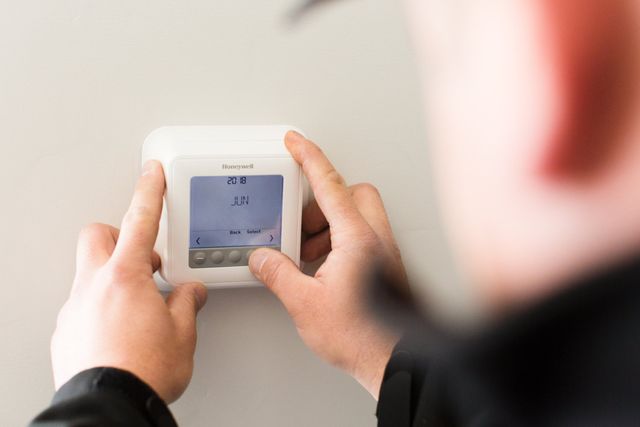
First, check your thermostat for a reset button. It is often small and may need a tool to press. Some models hide it behind the front panel or inside the battery compartment. If you cannot find a button, look for a reset option in the settings menu.
Executing The Reset Process
Press and hold the reset button for about 5 to 10 seconds. Release the button when the screen goes blank or flashes. For touchscreen thermostats, select the reset option in the menu and confirm your choice. Wait a few moments for the thermostat to restart.
Verifying The Reset Success
Check the display for the default settings or welcome message. Try adjusting the temperature to see if it responds correctly. If the device works as expected, the reset was successful. Repeat the process if the issue remains.
Check Best Thermostat Pricing in Amazon
** As an Amazon Associate, I earn from qualifying purchases.
Troubleshooting After Reset
Resetting a digital thermostat can fix many common issues. Sometimes, the reset does not solve the problem completely. Troubleshooting after reset helps find and fix remaining issues quickly.
Check the thermostat’s display and settings first. Look for errors or unusual behavior. This step ensures the reset worked properly.
When The Reset Doesn’t Work
Thermostat still not working after reset? The problem might be deeper. Check the power source to ensure the thermostat has electricity. A loose wire or dead battery can cause issues.
Look at your HVAC system too. Sometimes, the problem is with heating or cooling units, not the thermostat. Listen for strange noises or check if the system responds to manual controls.
Additional Fixes To Try
Try replacing the thermostat batteries if it uses them. Low batteries cause erratic behavior. Clean the thermostat’s sensor and display with a soft cloth. Dust and dirt can block signals.
Check your thermostat’s wiring. Loose or damaged wires may need tightening or replacement. Consult your thermostat’s manual for wiring diagrams.
Update the thermostat’s software if possible. Some models allow firmware updates that fix bugs and improve performance.
Credit: www.gshomeservices.com
Maintaining Your Thermostat
Maintaining your digital thermostat is key to keeping it working well. A clean and updated thermostat helps your home stay comfortable. It also saves energy and reduces repair costs. Simple steps can make a big difference in performance and lifespan.
Regular Cleaning Tips
Dust and dirt can block the thermostat’s sensors. Use a soft cloth to wipe the screen and buttons weekly. Avoid using water or spray cleaners. Clean around the thermostat to stop dust from settling. Keep pets away to reduce hair buildup. Regular cleaning keeps the device responsive and accurate.
Software Updates And Settings Check
Check for software updates to improve thermostat functions. Updates fix bugs and add new features. Use the thermostat app or menu to find updates. Review your settings to match your current schedule. Adjust temperature limits for comfort and savings. Regular checks ensure your thermostat runs smoothly and saves energy.
Frequently Asked Questions
How Do I Reset A Digital Thermostat Quickly?
To reset a digital thermostat, press and hold the reset button for 5 seconds. If no button exists, turn off the power for 30 seconds. This simple method clears settings and restarts the device.
Can Resetting Fix Thermostat Display Errors?
Yes, resetting often resolves display glitches or frozen screens. It refreshes the system and corrects minor software issues without professional help.
Will Resetting Erase My Thermostat’s Programming?
Resetting may erase saved schedules and preferences. Be sure to note your settings before resetting to easily restore them afterward.
How Often Should I Reset My Digital Thermostat?
Reset only when the thermostat malfunctions or shows errors. Frequent resets are unnecessary and won’t improve normal operation.
Conclusion
Resetting a digital thermostat is simple and quick. Follow the steps carefully to avoid mistakes. A reset can fix common problems and improve performance. Keep your thermostat working well to save energy and money. Regular checks help maintain comfort in your home.
Now you know how to reset your digital thermostat. Try it yourself and enjoy a cozy space. Easy, right?
Check Best Thermostat Pricing in Amazon
** As an Amazon Associate, I earn from qualifying purchases.




