
Check Best Thermostat Pricing in Amazon
** As an Amazon Associate, I earn from qualifying purchases.
Are you frustrated because your Nest thermostat keeps changing the temperature on its own? You’re not alone.
When your thermostat acts unpredictably, it can make your home uncomfortable and your energy bills confusing. But why does this happen? Understanding the reasons behind these unexpected temperature changes can help you take control and make your Nest work the way you want.
Keep reading to discover the common causes and simple fixes that will stop those annoying temperature swings for good.

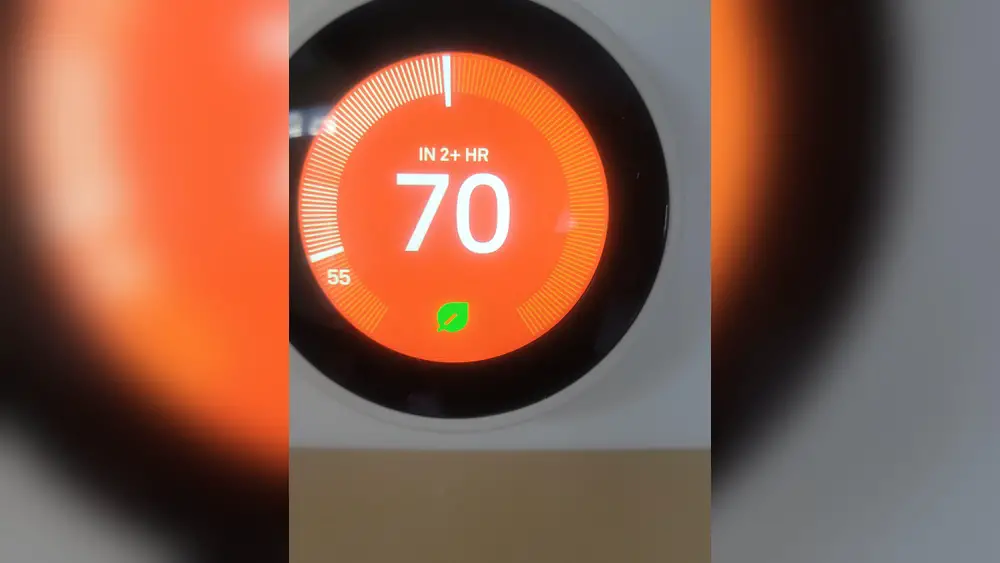
Credit: www.reddit.com
Common Reasons For Temperature Changes
Understanding why your Nest thermostat changes temperature helps you control your home’s comfort. Many features work together to adjust settings automatically. These features learn your habits, detect your presence, and use sensors. They make your home energy efficient and comfortable without constant manual changes.
Auto-schedule Feature
The Auto-Schedule feature learns your temperature preferences over time. It notices when you change the thermostat and saves these settings. Then, it creates a schedule based on your habits. This means your Nest adjusts temperature automatically at different times of the day.
For example, it may lower the heat during the night or when you leave for work. This can make it seem like your thermostat is changing on its own. The feature aims to keep your home comfortable and save energy.
Home And Away Assist
Home and Away Assist uses your phone’s location to detect if you are home. When you leave, the thermostat changes to an energy-saving temperature. When you come back, it switches to your preferred comfort setting.
This feature helps reduce heating or cooling when no one is home. It can cause temperature changes that feel sudden or unexpected. The goal is to save energy without you needing to adjust the thermostat.
Temperature Sensors
Temperature sensors placed around your home send information to the Nest thermostat. The thermostat uses this data to adjust the temperature more accurately. It can switch between sensors to keep the whole house comfortable.
If one room is warmer or cooler, the thermostat changes settings based on sensor readings. These changes help balance temperature but may seem like the thermostat is changing by itself.
App Or Device Settings
The Nest app and connected devices allow you to control the thermostat remotely. Changes made on the app or other smart devices affect the thermostat’s temperature. Sometimes, family members or roommates may adjust settings without telling you.
Check the app settings for any scheduled changes or manual adjustments. Incorrect settings or multiple users can cause unexpected temperature shifts. Regularly review your app settings to keep control over your thermostat’s behavior.

Credit: honestgorilla.com
Checking Your Nest Thermostat Settings
Checking your Nest Thermostat settings is a key step to stop unwanted temperature changes. The thermostat uses several settings that control how it heats or cools your home. Small adjustments in these settings can make a big difference in your comfort and energy use.
Reviewing Temperature Schedule
The Nest Thermostat follows a temperature schedule you set. This schedule tells it when to heat or cool and at what temperature. Check your schedule to see if it changes during the day or night. Sometimes, the thermostat shifts temperatures because of a preset program. Adjust the times and temperatures to fit your daily routine better.
Adjusting Eco Temperatures
Eco mode saves energy by setting a range of temperatures. The thermostat switches to Eco mode when it thinks no one is home. Check the Eco temperature settings to see if they are too different from your usual comfort levels. Narrowing the Eco temperature range helps keep your home comfortable and stops sudden temperature changes.
Verifying Sensor Placement
The Nest Thermostat uses sensors to detect the room temperature. Poor sensor placement can cause wrong readings and change the temperature often. Make sure the thermostat is not near heat sources, direct sunlight, or drafts. Moving the thermostat to a better spot improves its accuracy and keeps your home temperature steady.
Troubleshooting Connectivity Issues
Connectivity issues often cause your Nest thermostat to change temperature by itself. The device relies on a stable internet connection and proper syncing with your account. Problems in these areas can confuse the thermostat and lead to unexpected behavior. Below are common connectivity problems and how to fix them.
Wi-fi Connection Problems
Your Nest thermostat needs a strong Wi-Fi signal to work correctly. A weak or dropped connection can cause it to lose settings or change temperatures. Check your router and ensure the thermostat is within range. Restart the router and the thermostat to refresh the connection. Avoid placing the router far from the thermostat or behind thick walls.
Check Best Thermostat Pricing in Amazon
** As an Amazon Associate, I earn from qualifying purchases.
Account Syncing Errors
Sometimes your thermostat may not sync properly with your Nest account. This can cause conflicting commands and temperature changes. Log out of your Nest app and log back in to reset syncing. Confirm your account details are correct. Ensure only one user controls the thermostat to avoid conflicting settings.
Firmware Updates
Firmware updates keep your thermostat running smoothly. If updates fail or are incomplete, the device may behave oddly. Check for available updates in the Nest app. Keep your thermostat connected to Wi-Fi during updates. Restart the device after updating to apply changes properly.
Addressing External Factors
External factors often cause your Nest thermostat to change temperature on its own. These elements affect how the thermostat reads and reacts to your home’s environment. Knowing what influences your thermostat helps you manage temperature settings better.
Changes outside the thermostat itself can lead to unexpected adjustments. Understanding these can help reduce sudden temperature swings.
Influence Of Multiple Thermostats
Multiple thermostats in one home can confuse the system. They may send mixed signals to your HVAC system. This causes the Nest thermostat to adjust temperature more often. Each thermostat tries to control the temperature in its area. This overlap can lead to constant changes in settings.
Effect Of Hvac System
The HVAC system’s condition impacts thermostat behavior. A malfunctioning or old system may cause irregular temperature changes. Problems like clogged filters or broken parts confuse the thermostat. The Nest reacts by adjusting temperature frequently. Regular HVAC maintenance can reduce these issues.
Environmental Changes
Shifts in sunlight, open windows, or drafts affect temperature readings. The Nest thermostat senses these changes and reacts quickly. For example, direct sunlight can make a room warmer. The thermostat lowers the heat to balance this. Sudden cold air from an open door also triggers changes.
Resetting And Recalibrating Your Thermostat
Resetting and recalibrating your Nest thermostat helps fix temperature changes. Sometimes, the thermostat needs a fresh start. Other times, the sensors may give wrong readings. This section explains how to reset and recalibrate your device. It also guides when to ask for help.
Factory Reset Steps
Start by pressing the thermostat ring to open the menu. Turn the ring to find the “Settings” option. Select “Reset” and then choose “All Settings.” Confirm to erase all data and return to factory defaults. The thermostat will restart automatically. This clears any software glitches causing temperature changes.
Recalibrating Temperature Sensors
Temperature sensors can drift over time. To recalibrate, let the thermostat sit in a stable room for 24 hours. Avoid direct sunlight, drafts, or heat sources nearby. Check if the displayed temperature matches a reliable thermometer. If not, adjust the sensor through the Nest app or settings menu. This helps the thermostat read temperature correctly.
When To Contact Support
Resetting and recalibrating solve most problems. Contact Nest support if your thermostat still changes temperature. Also reach out if the device won’t reset or recalibrate properly. Support can diagnose hardware issues or software bugs. They offer clear steps to fix your thermostat for good.

Credit: honestgorilla.com
Frequently Asked Questions
Why Does My Nest Thermostat Change Temperature Automatically?
Nest thermostats adjust temperature based on your schedule and habits. The built-in sensors learn your preferences. It also uses weather data to optimize comfort and energy savings. Automatic changes help maintain an efficient and cozy home environment.
Can Software Updates Cause Temperature Changes On Nest?
Yes, software updates can temporarily change settings. Updates improve performance and fix bugs. After updating, your thermostat might reset or adjust temperature schedules. Always check settings post-update to ensure your preferred temperature is maintained.
How Do Nest’s Sensors Affect Temperature Adjustments?
Nest uses motion and temperature sensors to detect presence. When no one is home, it lowers or raises the temperature to save energy. Sensors help the thermostat decide when to change temperature automatically based on room occupancy.
Could Wiring Issues Cause Temperature Fluctuations On Nest?
Yes, faulty wiring can cause irregular temperature changes. Loose or incorrect wiring affects thermostat signals. If your Nest frequently changes temperature unexpectedly, check wiring or call a professional to inspect and fix the problem.
Conclusion
Your Nest thermostat changes temperature for several reasons. It may learn your habits or react to sensors. Software updates or settings can also cause changes. Check your thermostat’s schedule and sensor placement. Make sure your Wi-Fi connection is stable. Regularly review the settings to match your comfort.
Small adjustments can stop unwanted temperature changes. Understanding these causes helps you keep control. Enjoy a steady, comfortable home all year.
Check Best Thermostat Pricing in Amazon
** As an Amazon Associate, I earn from qualifying purchases.




