
Check Best Thermostat Pricing in Amazon
** As an Amazon Associate, I earn from qualifying purchases.
Have you ever noticed the “Temporary Hold” option on your Honeywell thermostat and wondered what it really means? If you’re trying to control your home’s temperature just right, understanding this feature can make a big difference.
It’s designed to give you quick, short-term control without changing your entire schedule. You’ll discover exactly how the Temporary Hold works, why it matters, and how you can use it to make your home more comfortable—right when you need it.
Keep reading to unlock the simple trick that can save you time and energy.
Temporary Hold Basics
Understanding the temporary hold feature on your Honeywell thermostat helps you control your home’s temperature with ease. It lets you pause the regular schedule and set a new temperature for a short time. This feature is useful when your plans change or you want to stay comfortable for a while. Let’s explore the basics of temporary hold and how it works.
What Temporary Hold Does
Temporary hold stops the thermostat from following its set program. It keeps the temperature you choose until you cancel the hold or the set time ends. This means the heating or cooling will stay at the new temperature without changing. The thermostat will return to the normal schedule automatically after the hold period.
When To Use Temporary Hold
Use temporary hold when you want to change the temperature for a short time. For example, if you come home early or stay late, you can make the house warmer or cooler. It’s also helpful during unusual weather or if guests visit. This feature saves energy by not changing the whole schedule.

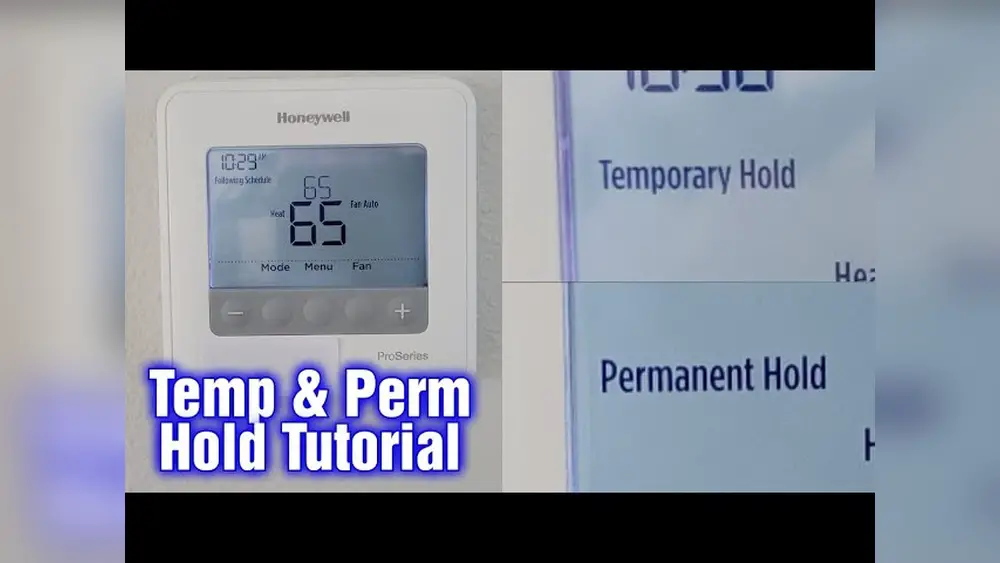
Credit: www.youtube.com
How Temporary Hold Works
The temporary hold feature on a Honeywell thermostat lets you pause your regular schedule. It keeps the temperature at the setting you choose. This hold works only for a short time. After that, the thermostat goes back to its programmed schedule. This helps save energy while keeping your home comfortable.
Setting A Temporary Hold
To set a temporary hold, start by choosing the temperature you want. Then press the hold button on your thermostat. The screen will show the hold is active. You can change the temperature anytime during the hold. This stops the thermostat from following its usual schedule.
Duration And Expiration
The temporary hold lasts until the next scheduled change. Usually, this means it ends when your usual program starts. The thermostat then resumes normal heating or cooling. You do not need to cancel the hold manually. The automatic end helps keep your energy use low.
Temporary Hold Vs Permanent Hold
Understanding the difference between Temporary Hold and Permanent Hold on your Honeywell thermostat helps manage your home’s temperature better. Both options pause the programmed schedule, but they work in distinct ways. Knowing when to use each can save energy and keep your home comfortable.
Key Differences
Temporary Hold stops the schedule for a short time. It keeps the temperature at your chosen setting until the next scheduled change. After that, the thermostat returns to its normal program.
Permanent Hold overrides the schedule completely. It keeps the temperature fixed at your set point until you cancel the hold. The thermostat does not follow the regular program during this time.
Use Cases For Each
Temporary Hold is useful for short events, like coming home early or leaving late. It adjusts the temperature without changing your usual plan. The schedule resumes automatically.
Permanent Hold fits longer stays or special needs. For example, if you work from home for days or want a steady temperature. It keeps the setting until you decide to change it back.

Credit: www.reddit.com
Benefits Of Temporary Hold
Temporary hold on a Honeywell thermostat helps manage your home’s temperature easily. It allows you to pause the regular schedule for a short time. This feature brings several advantages that improve your home’s comfort and energy use.
Energy Efficiency
Temporary hold helps save energy by avoiding heating or cooling when not needed. You can lower the temperature during the day if no one is home. This simple action reduces electricity bills and energy waste. It also prevents the system from running too long or too often.
Comfort Flexibility
Temporary hold lets you adjust temperature quickly for short periods. It is perfect for unexpected changes in your day. You can make your home warmer or cooler without changing the whole schedule. After the hold ends, the thermostat returns to the regular settings automatically.
Troubleshooting Temporary Hold Issues
Troubleshooting Temporary Hold issues on a Honeywell thermostat can be straightforward. Temporary Hold lets you pause your usual schedule and keep the temperature steady. Problems may arise when the hold does not work as expected. Understanding common problems and how to reset the thermostat can help fix these issues quickly.
Common Problems
Sometimes the Temporary Hold does not activate. The temperature may change despite the hold. The thermostat screen might freeze or become unresponsive. Settings could reset without your input. These issues often happen due to software glitches or power interruptions. Checking the batteries and connections is a good first step.
Check Best Thermostat Pricing in Amazon
** As an Amazon Associate, I earn from qualifying purchases.
Resetting The Thermostat
Resetting the thermostat can solve many Temporary Hold problems. Locate the reset button or remove the thermostat from its base. Wait 30 seconds before reconnecting power. This clears minor errors and refreshes the system. After reset, set the Temporary Hold again to check if it works. This simple step often restores normal function quickly.
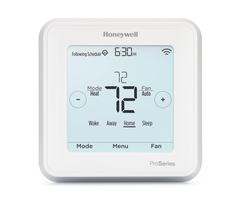
Credit: www.alarmgrid.com
Tips For Managing Temporary Holds
Temporary holds on a Honeywell thermostat let you pause your usual temperature settings. This feature helps when you want to keep a specific temperature for a short time. Managing these holds well can save energy and keep your home comfortable.
Below are some useful tips to handle temporary holds effectively. These tips help you avoid common mistakes and make the best use of your thermostat.
Best Practices
Set the hold only for the time you need. Long holds can waste energy.
Check the temperature setting before activating a hold. Make sure it fits your comfort needs.
Use the temporary hold when you stay home longer than usual. It stops the thermostat from changing settings automatically.
Cancel the hold once you no longer need it. This lets the regular schedule start again.
Keep your thermostat’s software updated. Updates can improve hold functions and overall performance.
Avoiding Unintended Holds
Be careful with the touchscreen or buttons to avoid accidental holds.
Teach family members how the hold feature works. This reduces mistakes.
Review your thermostat’s display often. Confirm no unexpected holds are active.
Reset your thermostat if it shows strange behavior with holds.
Read the user manual for hold instructions. Understanding controls prevents errors.
Frequently Asked Questions
What Does Temporary Hold Mean On Honeywell Thermostat?
Temporary hold on a Honeywell thermostat pauses the programmed schedule. It keeps the set temperature until the hold is canceled or expires. This feature lets users manually adjust temperature without changing the entire schedule.
How Long Does A Temporary Hold Last On Honeywell?
The duration of a temporary hold depends on the thermostat model and user settings. Typically, it lasts until the next scheduled program period or can be manually canceled anytime.
Can I Override Temporary Hold On Honeywell Thermostat?
Yes, you can override temporary hold by adjusting the temperature manually. Once you change settings, the hold is canceled, and the thermostat resumes its normal schedule.
Does Temporary Hold Affect Energy Savings On Honeywell?
Temporary hold can impact energy savings if used frequently. It overrides energy-efficient schedules, potentially increasing energy use by maintaining non-optimized temperatures longer.
Conclusion
Temporary Hold on a Honeywell Thermostat stops changes for a short time. It keeps your chosen temperature until you cancel the hold. This feature helps save energy and keeps your home comfortable. Use it when you want to pause automatic schedule changes.
Understanding Temporary Hold makes managing your thermostat easier. It gives you control without changing your whole program. Simple and useful for everyday comfort and savings. Try it to see how it fits your needs.
Check Best Thermostat Pricing in Amazon
** As an Amazon Associate, I earn from qualifying purchases.




