
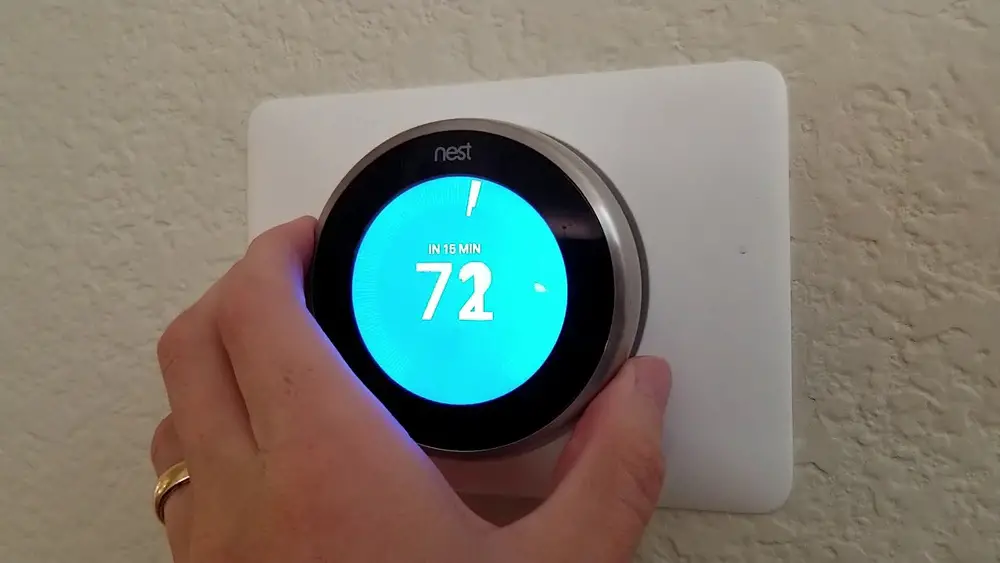
Check Best Thermostat Pricing in Amazon
** As an Amazon Associate, I earn from qualifying purchases.
Imagine trying to control your home’s temperature with a Nest Thermostat, but your WiFi suddenly goes down. Frustrating, right?
You might think your thermostat is useless without an internet connection, but that’s not true. You can still use your Nest Thermostat effectively, even without WiFi. You’ll learn simple steps to keep your home comfortable without relying on the internet.
Keep reading to discover how to take full control of your thermostat, no matter your WiFi situation.
Nest Thermostat Basics
The Nest Thermostat is a smart device that controls your home’s heating and cooling. It learns your schedule and helps save energy. You can adjust the temperature easily with its round dial. The screen shows clear information about the current temperature and settings.
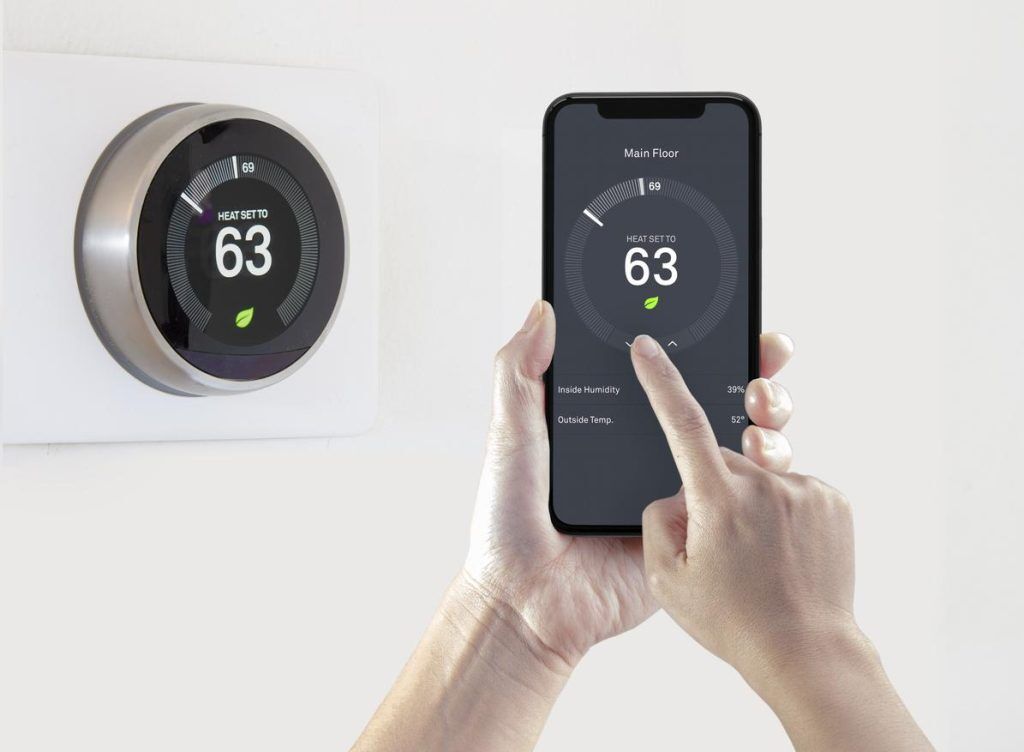
The device is designed to be simple and user-friendly. It fits into most homes and works with many heating systems. You can control it from the thermostat itself or use your phone when connected to WiFi.
Key Features
The Nest Thermostat has many useful features. It shows the temperature clearly on a bright display. It can learn your daily routine and adjust the temperature automatically. It also alerts you if the temperature goes too high or too low.
Energy reports help you track your usage and save money. The thermostat can switch to eco mode to reduce energy when you are away. It works with voice assistants for hands-free control. Manual control is easy with the dial on the device.
Wifi Dependency
The Nest Thermostat works best with a WiFi connection. WiFi allows remote control from your phone or computer. It also enables software updates and detailed energy reports. Without WiFi, some smart features are limited or unavailable.
You can still control temperature directly on the device without WiFi. The thermostat stores your schedule and settings offline. Basic heating and cooling functions work normally without internet. Smart alerts and remote access need an active WiFi connection.

Credit: www.youtube.com
Reasons To Use Offline Mode
Using a Nest Thermostat without WiFi is possible and useful. Many people think WiFi is needed for smart devices. But offline mode lets you control the thermostat even without internet. This mode helps keep your home comfortable in many situations.
No Internet Access
Some homes have poor or no internet connection. In such cases, the Nest Thermostat still works offline. You can change the temperature and settings directly on the device. This keeps your home cozy without needing WiFi.
Privacy Concerns
Some users worry about sharing data online. Offline mode reduces data sent to Google servers. It keeps your heating and cooling habits private. You stay in control of your personal information this way.
Temporary Network Issues
Internet can stop working sometimes. During outages, offline mode keeps your thermostat running. You do not lose control over your home temperature. The Nest will save your changes and update once WiFi returns.
Initial Setup Without Wifi
Setting up a Nest Thermostat without WiFi is simple. The device works well even without an internet connection. You can control the temperature and adjust settings manually. This guide shows you the first steps to get your thermostat running without WiFi.
Powering The Device
Start by connecting the Nest Thermostat to your HVAC system. Ensure the wires are correctly attached to the terminals. Once connected, the thermostat will power on automatically. A small screen will light up, showing the Nest logo. This confirms the device has power and is ready for setup.
Basic Configuration
Use the dial on the side to navigate menus. Select your language and preferred temperature units. The thermostat will then ask for your home type, such as heating or cooling. Set the date and time manually, as it won’t sync without WiFi. These steps prepare the thermostat for manual control.
Manual Temperature Control
Turn the dial to adjust the temperature. Press the dial to confirm your choice. The Nest will maintain the set temperature until you change it. You can change settings anytime using the dial. Without WiFi, scheduling is limited to manual changes only.
Adjusting Settings Offline
Using a Nest Thermostat without WiFi means you cannot control it through the app. But you can still change many settings directly on the device. Adjusting settings offline keeps your home comfortable without an internet connection. The thermostat’s screen and dial let you manage temperature and schedules easily. This section explains how to adjust the Nest Thermostat offline.
Changing Temperature
Turn the outer ring on the thermostat to change the temperature. Rotate clockwise to increase warmth. Turn counterclockwise to lower it. The screen shows the current temperature setting. Press the thermostat to confirm your choice. This method works anytime, even without WiFi.
Setting Schedules Locally
You can set heating and cooling schedules directly on the device. Press the thermostat to open the menu. Select “Schedule” from the list. Use the dial to pick days and times for temperature changes. Save each setting by pressing the thermostat. This helps maintain comfort during different parts of the day.
Using Physical Controls
The Nest Thermostat has a simple physical control system. Press the thermostat ring to access menus. Turn the ring to scroll through options. Press again to select items. This lets you adjust settings, check energy usage, and set modes. No WiFi connection is needed to use these controls.
Check Best Thermostat Pricing in Amazon
** As an Amazon Associate, I earn from qualifying purchases.
Limitations Of Offline Use
Using a Nest Thermostat without WiFi works but has clear limits. The device can still control your home’s temperature. Yet, many smart features stop working without an internet connection. Understanding these limits helps you use your thermostat better offline.
No Remote Access
Without WiFi, you cannot control the thermostat from outside your home. The app on your phone will not connect to the device. You must be near the thermostat to change settings. This limits convenience, especially if you want to adjust temperature before coming home.
Missing Software Updates
The Nest Thermostat needs internet for software updates. These updates fix bugs and improve performance. Without WiFi, your thermostat may miss important updates. Over time, this can cause problems or reduce energy-saving features.
Limited Learning Capabilities
The thermostat learns your schedule and preferences through WiFi data. Without connection, learning is limited or stops completely. The device cannot adapt as well to your habits. You will need to adjust settings manually more often.
Troubleshooting Offline Issues
Sometimes, your Nest Thermostat may stop working online without WiFi. This causes issues with remote control and updates. Fixing offline problems can help your thermostat work smoothly again. Try simple steps to get it back online or use it without WiFi.
Resetting The Thermostat
Resetting the Nest Thermostat can solve many offline issues. Press the thermostat ring and hold it for about 10 seconds. Wait until the screen turns off and restarts. This clears minor bugs and refreshes the system. After reset, check if the thermostat connects or works offline.
Battery And Power Checks
Low battery or power problems cause offline errors. Make sure the thermostat has enough charge. Check the wires and power source for any loose connections. Replace batteries if needed. A stable power supply keeps the thermostat running without interruptions.
Restoring Wifi Connection
Restoring WiFi helps regain full thermostat features. Open the settings menu on the thermostat. Select the network option and find your WiFi. Enter the password carefully and connect. If the signal is weak, move the router closer. Strong WiFi improves the device’s performance and updates.
Tips For Effective Offline Use
Using a Nest Thermostat without WiFi is still possible and useful. The key is to manage it well offline. This section shares tips to help you use the thermostat effectively without an internet connection. These tips ensure your home stays comfortable and your device runs smoothly.
Manual Monitoring
Check the thermostat screen often to see the current temperature. Adjust settings by turning the ring on the device manually. Keep track of the heating or cooling schedule yourself. This avoids surprises in your home’s temperature.
Regular Maintenance
Clean the thermostat gently to keep sensors clear. Replace batteries if your model uses them. Check wires and connections to avoid errors. Regular care helps the device work well without WiFi.
Preparing For Online Sync
Connect the thermostat to WiFi once in a while. This updates the device with the latest software and settings. Syncing also saves your manual changes to the cloud. Plan short online sessions to keep the thermostat updated.
Credit: alliedairheat.com
Credit: www.reddit.com
Frequently Asked Questions
Can Nest Thermostat Work Without Wifi Connection?
Yes, Nest Thermostat can work without WiFi. It controls temperature locally using built-in sensors and manual settings. However, remote control and updates require WiFi.
How To Adjust Nest Thermostat Without Internet?
You can adjust Nest Thermostat by rotating its outer ring to change temperature. Press the display to navigate settings. No internet is needed for manual control.
What Features Are Limited Without Nest Wifi?
Without WiFi, Nest loses remote access, weather updates, and software updates. Basic temperature control still works, but smart features like scheduling and alerts are unavailable.
Can Nest Thermostat Store Schedules Offline?
Nest Thermostat stores some schedules offline. You can set and modify basic schedules directly on the device. Complex scheduling and syncing need WiFi connection.
Conclusion
Using a Nest Thermostat without WiFi is simple and practical. You can still control temperature manually with ease. The device keeps your home comfortable without an internet connection. Just follow the basic steps to adjust settings directly. This method saves energy and avoids confusion.
Staying warm or cool is possible anytime, anywhere. No WiFi? No problem. Your Nest Thermostat works fine offline. Enjoy comfort without extra hassle or costs. Simple control is always within reach.
Check Best Thermostat Pricing in Amazon
** As an Amazon Associate, I earn from qualifying purchases.




