
Check Best Thermostat Pricing in Amazon
** As an Amazon Associate, I earn from qualifying purchases.
Are you planning to replace or repair your thermostat? One important step you can’t skip is turning off the power to your thermostat first.
Doing this keeps you safe and prevents any damage to your system. But how exactly do you turn off the power? If you’ve ever felt unsure or worried about making a mistake, you’re not alone. You’ll find clear, simple steps to safely cut power to your thermostat—no technical skills needed.
Keep reading, and you’ll gain the confidence to handle this task quickly and securely.
Credit: homerepairtutor.com
Reasons To Cut Power To Thermostat
Cutting power to your thermostat is an important step before any work on the device. It helps avoid accidents and protects the system. Knowing when to turn off the power keeps you and your equipment safe.
Safety During Maintenance
Turning off power stops electrical shocks during repairs or cleaning. It protects you from possible harm. Maintenance without power reduces risks and makes work safer.
Preventing Electrical Damage
Power off prevents short circuits and damage to the thermostat. It keeps wiring and parts safe from harm. Avoid costly repairs by cutting power before touching wires.
Upgrading Or Replacing Thermostat
Switching off power is key when installing a new thermostat. It stops the system from turning on during the change. This step ensures a smooth and safe upgrade process.
Tools Needed For The Task
Turning off power to your thermostat is a simple task. Having the right tools makes it safer and easier. This section lists the tools you need. Prepare them before you start. This way, the job goes smoothly without interruptions.
Basic Tools Checklist
A small flathead screwdriver is a must-have. It helps remove the thermostat cover. A Phillips screwdriver is useful for screws holding the thermostat base. A voltage tester checks if the power is truly off. This tool ensures your safety before touching wires. A flashlight can help if the area is dim. Keep a small container to hold screws safely.
Safety Gear Essentials
Wear insulated gloves to protect against electric shocks. Safety glasses keep your eyes safe from dust or debris. Closed-toe shoes prevent injuries from dropped tools. Avoid loose clothing that might catch on anything. Having these items ensures safety during the task. Safety gear is not optional. It protects you throughout the process.
Locating The Thermostat Power Source
Turning off power to your thermostat starts with finding its power source. Thermostats get power from your home’s electrical system. Knowing where to cut power is important for safety and to avoid damage. This guide helps you locate the power source easily.
Finding The Circuit Breaker
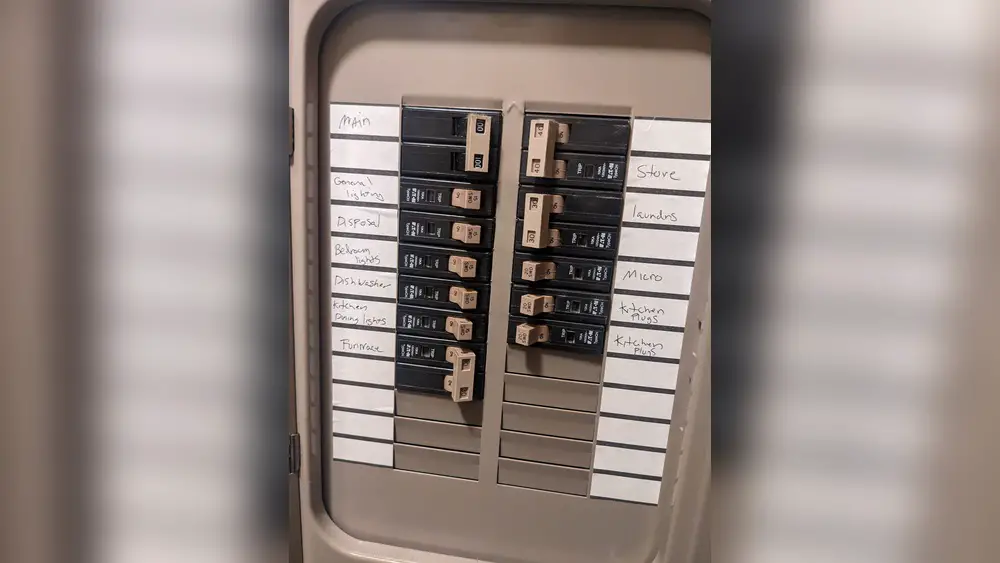
Most thermostats get power from a dedicated circuit breaker. Open your main electrical panel. Look for a breaker labeled “Thermostat,” “HVAC,” or “Heating/Cooling.” If labels are missing, find the breaker controlling your heating or cooling system. Flip the breaker off to cut power to the thermostat. Always double-check that the thermostat is off before working on it.
Identifying The Thermostat Transformer
Thermostats often use a low-voltage transformer for power. This small device steps down the voltage from your home’s main system. It is usually near the furnace or air handler. Look for a box with wires connected to the thermostat wires. Turning off power at the circuit breaker usually cuts power to this transformer. Confirm by testing the thermostat after shutting off the breaker.

Credit: www.reddit.com
Step-by-step Power Shutdown
Turning off the power to your thermostat is important before any repair or replacement. This step-by-step guide helps you do it safely. Follow the instructions carefully to avoid any electrical hazards. Safety first.
Turning Off The Circuit Breaker
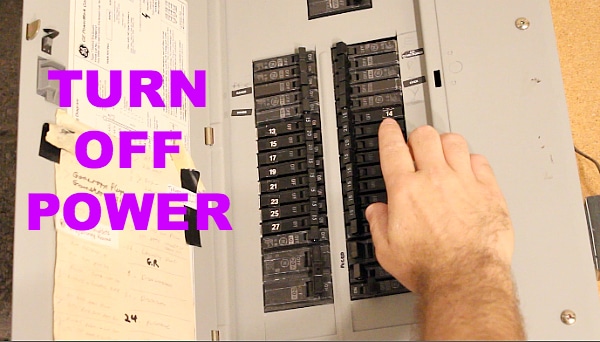
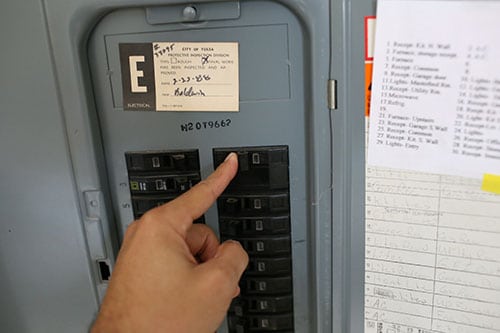
Locate your home’s electrical panel. Find the breaker labeled for the HVAC system or thermostat. Switch it off by flipping the breaker to the off position. This cuts power to the thermostat. If the breaker is not labeled, turn off the main breaker to be safe.
Confirming Power Is Off
Go back to the thermostat and check if the display is blank. No lights or numbers mean the power is off. Try adjusting the temperature to see if the thermostat responds. If nothing happens, it is safe to proceed with your work.
Using A Voltage Tester
Use a voltage tester to double-check the power status. Touch the tester leads to the thermostat wires. The tester should show no voltage. This confirms no electricity flows to the thermostat. If the tester shows power, do not continue. Check the breaker again or call a professional.
Alternative Methods To Cut Power
Turning off the power to your thermostat is important before doing any repairs or replacements. Sometimes, the main power switch is hard to reach or you want a quick way to cut power. There are simple alternative methods to stop the thermostat from working safely.
These methods help avoid electrical shocks and protect your device. Use these steps carefully to make sure no power flows to your thermostat.
Check Best Thermostat Pricing in Amazon
** As an Amazon Associate, I earn from qualifying purchases.
Removing Thermostat Batteries
Many thermostats use batteries to run. Removing these batteries cuts power instantly. Open the thermostat cover gently. Find the battery compartment inside.
Take out the batteries carefully. This stops the thermostat from working. Keep the batteries safe if you want to use them again later.
Check your thermostat model to see if it uses batteries. Some newer models rely only on wired power and won’t turn off this way.
Disconnecting Thermostat Wires Safely
Another way is to disconnect the wires from the thermostat. Turn off the main breaker to avoid electric shock first. Use a screwdriver to open the thermostat panel.
Note the wire positions before disconnecting. Taking a photo helps to remember their places. Unscrew the wires carefully from the terminal screws.
Keep the wires separated so they don’t touch each other. This stops the power flow. Do not cut the wires unless you know what you are doing.
Common Mistakes To Avoid
Turning off power to your thermostat seems simple but can lead to mistakes. These errors might cause damage or safety risks. Avoiding common pitfalls helps keep your system safe and working well. Read on to learn what to watch out for.
Not Verifying Power Off
Many skip checking if the power is truly off. This mistake risks electric shock or damages the thermostat. Always use a voltage tester or multimeter to confirm no electricity flows. Never trust the breaker switch position alone. Safety first.
Ignoring Manufacturer Instructions
Thermostats differ by brand and model. Ignoring instructions can cause errors during power shutdown. Manuals guide you on the right steps and precautions. Follow them closely to avoid voiding warranties or harming the device. Read the manual before starting any work.
After Powering Down The Thermostat
After powering down the thermostat, the next steps are important for safety and proper function. Always handle the device carefully to avoid damage or injury. Understanding what to do next helps keep your system safe and working well.
Performing Maintenance Safely
Start by making sure no power is running to the thermostat. Use a voltage tester to check for any electricity. Wear insulated gloves to protect your hands. Avoid touching wires or metal parts directly. Keep the work area dry and clear of any clutter. Follow all safety instructions from your thermostat’s manual. Take your time to prevent mistakes or accidents.
Reactivating Power Correctly
Before turning the power back on, double-check all connections. Ensure wires are securely attached to their terminals. Close any covers or panels on the thermostat. Turn the power back on at the circuit breaker or fuse box. Watch the thermostat for normal startup signals. Test the system by adjusting the temperature setting. Confirm the thermostat controls the heating or cooling properly.
Credit: www.artofmanliness.com
Frequently Asked Questions
How Do I Safely Turn Off Power To My Thermostat?
To safely turn off power, locate your home’s circuit breaker panel. Find the breaker labeled for your HVAC system and switch it off. This cuts power to the thermostat and prevents electrical hazards during maintenance or replacement.
Can I Turn Off The Thermostat Without Cutting Power?
Yes, you can turn off the thermostat by setting it to “Off” mode. However, this doesn’t cut electrical power to the device. For full power shutdown, turning off the circuit breaker is necessary.
What Tools Do I Need To Turn Off Thermostat Power?
No special tools are needed. Simply access your home’s circuit breaker panel and use your hand to switch the correct breaker off. Always ensure your hands are dry for safety.
Why Should I Turn Off Power Before Thermostat Replacement?
Turning off power prevents electrical shocks and damage to the thermostat. It ensures your safety and protects the HVAC system during installation or repairs.
Conclusion
Turning off power to your thermostat is simple and important for safety. Always switch off the correct breaker or remove batteries carefully. Double-check to ensure the power is completely off before starting any work. This prevents damage and keeps you safe.
Taking these steps helps maintain your heating and cooling system. Now, you can handle thermostat power confidently and protect your home.
Check Best Thermostat Pricing in Amazon
** As an Amazon Associate, I earn from qualifying purchases.




