
Check Best Thermostat Pricing in Amazon
** As an Amazon Associate, I earn from qualifying purchases.
Is your HVAC thermostat acting up or not responding the way it should? You’re not alone.
Sometimes, a simple reset can fix common issues and get your system running smoothly again. In this guide, you’ll learn exactly how to reset your HVAC thermostat quickly and easily—no technical skills needed. Keep reading, and by the end, you’ll feel confident handling your thermostat like a pro, saving time and avoiding costly repairs.
Let’s dive in and get your home comfortable again!
Types Of Thermostats
Thermostats control the temperature inside your home. Different types of thermostats exist. Each one works in its own way. Understanding these types helps with proper use and reset.
Manual Thermostats
Manual thermostats are simple devices. You turn a dial or move a lever to set temperature. They do not change settings automatically. You must adjust them by hand.
These thermostats are easy to use. They do not need batteries or Wi-Fi. Manual thermostats work well for basic heating and cooling control.
Programmable Thermostats
Programmable thermostats let you set schedules. You can decide different temperatures for day and night. They save energy by adjusting heat or cooling automatically.
These thermostats have buttons and screens. You enter your preferred times and temperatures. The device follows your program every day.
Smart Thermostats
Smart thermostats connect to Wi-Fi and smartphones. You control them from anywhere using an app. They learn your habits and adjust settings automatically.
These thermostats often include voice control. They provide energy reports to help reduce bills. Smart thermostats offer the most convenience and features.

Credit: www.gshomeservices.com
Signs You Need To Reset
Knowing when to reset your HVAC thermostat saves time and money. It also keeps your home comfortable. Some clear signs show your thermostat needs a reset. Watch for these symptoms to act fast.
Inconsistent Temperature
The thermostat may show different temperatures in the same room. The heating or cooling might stop working suddenly. You feel too hot or too cold without reason. These changes mean the thermostat is not working right.
Unresponsive Controls
Pressing buttons or touching the screen brings no reaction. The thermostat does not change settings. It stays stuck on one mode or temperature. This lack of response is a sign to reset the device.
Error Messages
The thermostat screen might flash error codes or messages. These codes warn that something is wrong. They often mean the thermostat needs a quick reset. Ignoring these messages can cause bigger problems.
Preparing To Reset
Preparing to reset your HVAC thermostat is an important step. It helps avoid mistakes and keeps you safe. Taking some time before you start makes the process easier.
Follow clear steps to get ready. This way, you can reset your thermostat without trouble or damage.
Gathering Tools
Start by collecting the tools you will need. Most thermostats require a screwdriver. A flashlight helps if your thermostat is in a dark spot. Keep a small cloth handy to clean the device gently.
Turning Off Power
Safety first. Turn off the power to your HVAC system. Find the circuit breaker and switch it off. This stops electricity from flowing to the thermostat. It lowers the chance of electric shock or damage.
Locating The Thermostat Model
Find the model number on your thermostat. This information is usually behind the cover or on the back. The model number helps you find the right reset instructions. Keep it ready before you start resetting.
Resetting Manual Thermostats
Resetting manual thermostats can fix common heating and cooling issues. It helps restore proper function without calling a technician. The process involves a few simple steps anyone can follow. This guide shows how to safely reset your manual thermostat to get your HVAC system working again.
Removing The Thermostat Cover
Start by turning off the HVAC system. This prevents any electric shock or damage. Gently pull the thermostat cover from the wall. Some covers snap off easily; others may have screws. Use a screwdriver if needed. Keep the cover and screws in a safe place for later.
Adjusting The Reset Switch
Locate the reset switch inside the thermostat. It is usually a small button or lever. Press or slide the reset switch to restart the thermostat. Hold it for a few seconds to ensure the reset. This action clears any errors and resets the system’s settings.
Reinstalling And Testing
Put the thermostat cover back in place carefully. Secure it with screws if removed earlier. Turn the HVAC system back on. Adjust the thermostat to your desired temperature. Watch for a few minutes to check if it starts working correctly. This confirms the reset was successful.
Resetting Programmable Thermostats
Resetting a programmable thermostat can fix many common issues. It helps clear errors and restores factory settings. This process ensures your HVAC system runs smoothly and efficiently. Understanding how to reset your thermostat is useful for maintaining comfort in your home.
Check Best Thermostat Pricing in Amazon
** As an Amazon Associate, I earn from qualifying purchases.
Using The Reset Button
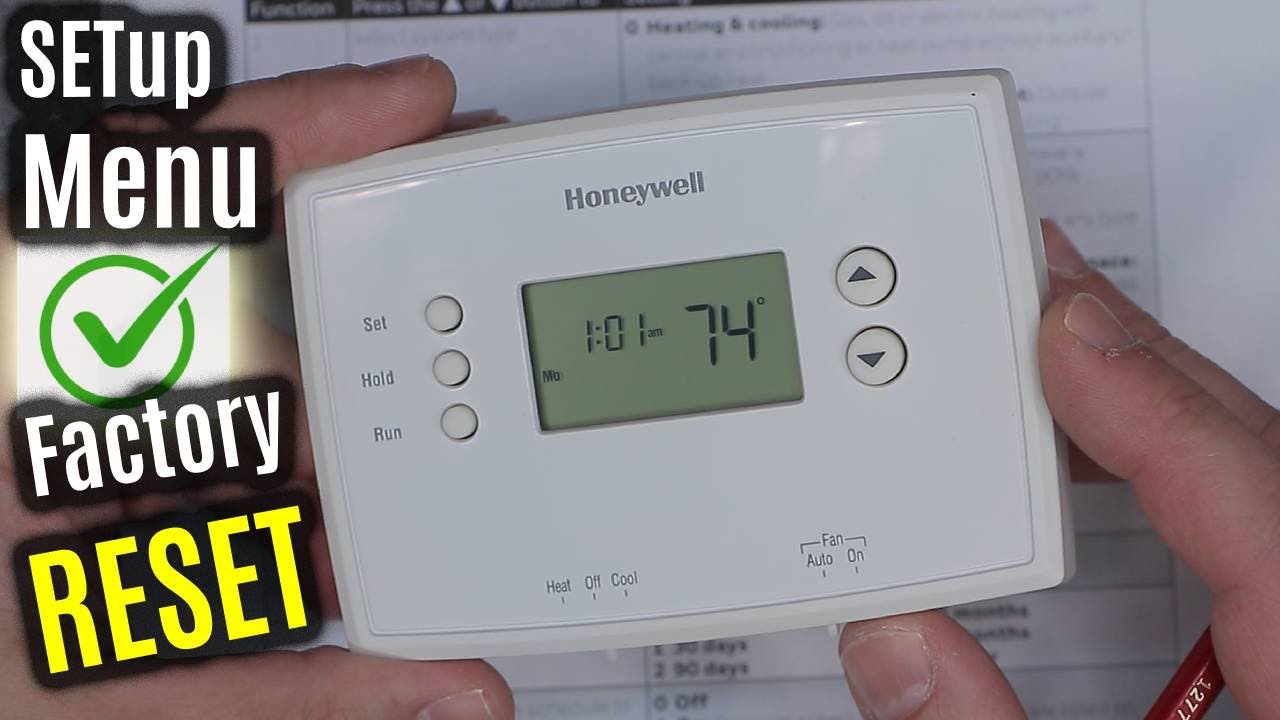
Most programmable thermostats have a reset button. This button is often small and recessed. Use a paperclip or a pointed object to press it. Hold the button for a few seconds until the screen goes blank. Release the button, and the thermostat will restart. This quick reset can resolve minor glitches.
Clearing The Settings
Resetting usually erases all programmed settings. This means your heating and cooling schedules will be deleted. The thermostat returns to its original factory mode. Use the menu options to clear any saved data. This step ensures no old settings interfere with new programming.
Reprogramming Your Schedule
After a reset, you need to re-enter your schedule. Set the time and date first. Then program your preferred temperature for different times of the day. Many thermostats allow separate settings for weekdays and weekends. Take your time to customize the schedule for comfort and energy savings.
Credit: www.youtube.com
Resetting Smart Thermostats
Resetting smart thermostats helps fix many common issues fast. It clears errors and restores normal function. This process is simple and does not take much time. Follow clear steps to reset your device safely. This guide covers using the app, factory reset, and reconnecting to Wi-Fi.
Using The App
Most smart thermostats come with an app for easy control. Open the app on your phone or tablet. Find the settings or device menu. Look for the reset option. Tap it to start the reset process. The app may ask you to confirm. Wait for the device to restart. This step often solves minor problems.
Performing A Factory Reset
A factory reset erases all settings and data on the thermostat. Locate the reset button on the device or in the menu. Press and hold it for 5 to 10 seconds. Release the button when the screen changes. The thermostat will reboot and return to default settings. Use this method if the app reset fails. Remember, you will lose all custom preferences.
Reconnecting To Wi-fi
After resetting, the thermostat may lose Wi-Fi connection. Open the app and go to network settings. Select your home Wi-Fi network from the list. Enter your password carefully. Wait for the device to connect. A successful connection shows a Wi-Fi icon or message. This step ensures remote control works again.
Tips For Maintaining Thermostat Performance
Maintaining your HVAC thermostat helps keep your home comfortable. A well-maintained thermostat lasts longer and works accurately. Simple steps can improve its performance daily.
Regular Battery Replacement
Check the thermostat batteries every few months. Weak batteries cause the thermostat to lose settings or stop working. Replace batteries with fresh ones to avoid interruptions. Use the type recommended by the manufacturer.
Cleaning The Thermostat
Dust and dirt can affect thermostat sensors. Gently clean the device with a soft brush or cloth. Avoid using water or harsh chemicals. Keep the thermostat free from debris for better accuracy.
Updating Firmware
Some thermostats have software that needs updates. Check the manufacturer’s website or app for updates. Updated firmware fixes bugs and improves functionality. Install updates as soon as they become available.
When To Call A Professional
Knowing when to call a professional can save time and prevent damage. Some HVAC thermostat problems need expert care. Trying to fix serious issues alone may worsen the problem. Understanding the signs that require professional help is important for your home’s comfort and safety.
Persistent Issues After Reset
If your thermostat keeps acting up after multiple resets, it shows a deeper problem. The device may have a software bug or hardware fault. A professional can diagnose these hidden issues. They have tools to fix or replace faulty parts safely. Persistent problems mean it’s time to seek expert help.
Complex Wiring Problems
Thermostats connect to your HVAC system with wires. Sometimes these wires get tangled or damaged. Complex wiring issues can cause your thermostat to fail. Professionals understand electrical codes and wiring diagrams. They can safely handle rewiring or repairs. Don’t risk electric shock or system damage by trying this yourself.
Hvac System Malfunctions
The thermostat controls your HVAC system’s functions. If the system itself malfunctions, the thermostat may seem broken. Strange noises, no heating or cooling, or uneven temperatures show HVAC faults. A professional can inspect the whole system. They find and fix problems beyond just the thermostat. Calling an expert ensures your HVAC runs smoothly again.
Credit: www.partshnc.com
Frequently Asked Questions
How Do I Reset My Hvac Thermostat Manually?
To reset your HVAC thermostat manually, locate the reset button or remove the batteries. Wait for one minute, then press the reset or replace the batteries. This clears errors and restores default settings, helping your system run smoothly.
Why Won’t My Hvac Thermostat Reset Properly?
Your thermostat may not reset due to power issues, faulty wiring, or software glitches. Check the power source, ensure correct wiring, and try a factory reset. If problems persist, consult a professional technician for assistance.
How Often Should I Reset My Hvac Thermostat?
Resetting your HVAC thermostat is typically needed only when it malfunctions or after power outages. Regular resets are unnecessary and may cause inconvenience. Perform resets as needed to maintain optimal system performance and accuracy.
Can Resetting My Thermostat Improve Hvac Efficiency?
Yes, resetting your thermostat can fix errors and recalibrate sensors. This often improves system efficiency by ensuring accurate temperature control and reducing energy waste. Regular maintenance alongside resets yields the best results.
Conclusion
Resetting your HVAC thermostat can fix many common issues quickly. Follow the steps carefully to avoid mistakes. A simple reset often restores proper function and saves money. Keep your thermostat clean and updated for best results. Remember to check your system regularly to keep it working well.
This small task helps your home stay comfortable all year. You can handle it yourself without needing a technician right away. Take control of your HVAC comfort with easy, clear steps.
Check Best Thermostat Pricing in Amazon
** As an Amazon Associate, I earn from qualifying purchases.




