
Check Best Thermostat Pricing in Amazon
** As an Amazon Associate, I earn from qualifying purchases.
Is your White Rodgers thermostat acting up or not responding the way it should? Resetting it might be the simple fix you need to get your heating or cooling system back on track.
In this guide, you’ll learn easy, step-by-step instructions to reset your thermostat quickly and safely. By the end, you’ll feel confident handling your thermostat like a pro—no confusing manuals or technical jargon required. Keep reading, and take control of your home’s comfort today!
Identify Your Thermostat Model
Knowing your White Rodgers thermostat model helps in resetting it correctly. Different models have different reset steps. Identifying the model first saves time and avoids errors.
Look at the front or inside of your thermostat for a model number. This number usually starts with digits like “1F” or “50.” Write it down or take a picture for easy reference.
Check The Thermostat Faceplate
Most White Rodgers thermostats display the model number on the faceplate. Remove the cover gently if needed. The model number is often printed near the display or buttons.
Look Inside The Thermostat
Turn off the power before opening the thermostat. Remove the faceplate carefully. The model number might be on a label inside the device. Check both sides of the panel.
Consult Your Thermostat Manual
The manual that came with your thermostat shows the model number. It also explains the basic features of your model. Find the manual or download it online using your model number.
Check Your Hvac System Documentation
Sometimes, the thermostat model is listed in your HVAC system documents. Look for installation papers or service guides. These often include details about the thermostat model used.
Prepare For Reset
Preparing to reset your White Rodgers thermostat is important for safety and success. This step helps avoid damage and ensures the reset works properly. Follow the instructions carefully before starting the reset process.
Turn Off Power
First, turn off the power to your thermostat. Find the circuit breaker or switch that controls your heating and cooling system. Switch it off to cut electricity. This prevents shocks and protects the thermostat.
Wait a few minutes after turning off the power. This allows the system to fully shut down. It also clears any temporary settings or errors in the thermostat.
Locate Reset Button Or Switch
Next, find the reset button or switch on your White Rodgers thermostat. It is usually small and may be inside the battery compartment or on the back. Check the user manual if you cannot locate it.
Some models might not have a reset button. For these, removing batteries or pressing a combination of buttons works as a reset. Knowing this before you start saves time and effort.
Perform The Reset
Performing a reset on your White Rodgers thermostat can fix many common issues. It helps clear errors and restore normal function. The reset process is simple and can be done in several ways. Each method suits different thermostat models and problems.
Use The Reset Button
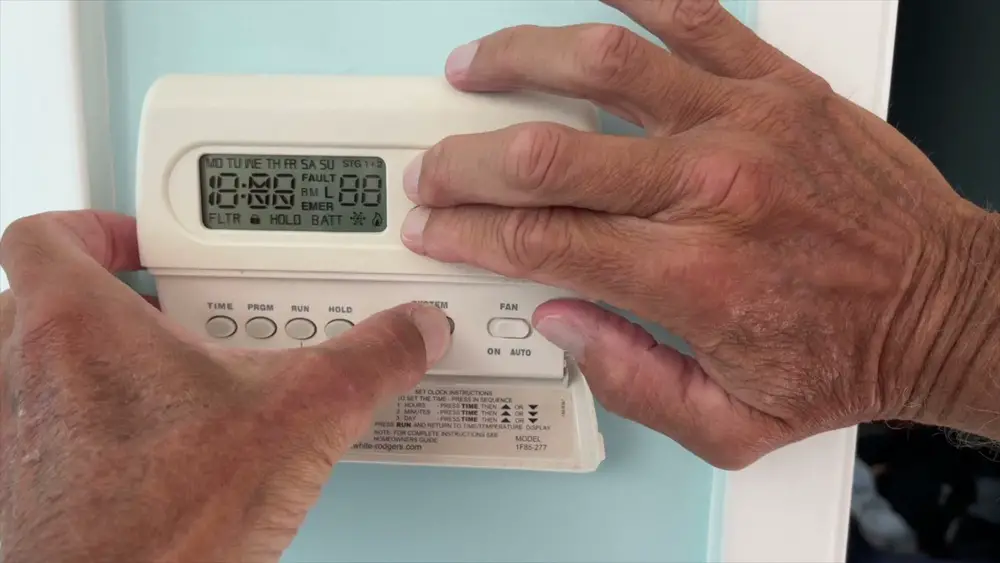
Locate the reset button on your thermostat. It is usually small and recessed. Use a paperclip or a similar tool to press it gently. Hold the button for about 5 seconds. The screen will blink or turn off briefly. Release the button and wait for the thermostat to restart. This method quickly resets the device without removing power.
Remove And Reinstall Batteries
Turn off your thermostat before removing batteries. Open the battery compartment on the back or side. Take out the batteries carefully. Wait for 30 seconds to 1 minute. Reinsert the batteries correctly, matching the polarity signs. Close the compartment securely. Turn the thermostat back on. This method clears temporary memory and refreshes the system.
Reset Via Menu Settings
Access the thermostat’s menu by pressing the Menu or Settings button. Navigate to the “Reset” or “Factory Reset” option using arrow keys. Select the reset option and confirm your choice. The thermostat will erase all custom settings. It restores the device to original factory settings. Use this method if other resets do not work or for a full reset.

Credit: www.wikihow.com
Reconfigure Thermostat Settings
After resetting your White Rodgers thermostat, reconfiguring its settings is crucial. This step ensures the device works perfectly for your home. You can adjust the date, time, and temperature preferences. These settings help save energy and keep your home comfortable.
Set Date And Time
Start by setting the correct date on your thermostat. Press the menu button and find the date option. Use the arrow keys to select the day, month, and year. Confirm your choice by pressing the enter or OK button.
Next, set the current time. Choose the time option in the menu. Adjust the hour and minutes using the arrow keys. Make sure to select AM or PM correctly. Save the settings to keep your thermostat on schedule.
Program Temperature Preferences
Programming temperature preferences allows your thermostat to match your daily routine. Access the schedule or program mode in the menu. Set different temperatures for morning, afternoon, evening, and night.
Check Best Thermostat Pricing in Amazon
** As an Amazon Associate, I earn from qualifying purchases.
Choose the desired temperature for each time period. Use the up and down arrows to adjust the heat or cool settings. Save each setting before moving to the next time slot. This simple setup helps reduce energy waste and keeps your home cozy.
Troubleshooting Reset Issues
Resetting a White Rodgers thermostat usually solves many common issues. Sometimes, the reset does not work as expected. Troubleshooting these problems helps avoid extra costs and time. Follow simple steps to identify the problem and fix it quickly.
No Response After Reset
First, check if the thermostat has power. Look for lights or screen display. If nothing appears, try replacing the batteries. Sometimes, the device needs fresh power to restart.
Next, inspect the circuit breaker. A tripped breaker can cut power to the thermostat. Reset the breaker if needed. Also, check the wiring for any loose connections. Loose wires prevent the thermostat from working properly.
Thermostat Still Malfunctioning
After a reset, the thermostat might still act oddly. Check the settings carefully. Ensure the temperature and mode are correct. Wrong settings cause heating or cooling problems.
Try a second reset. Sometimes, the first reset does not clear all errors. If the problem continues, the thermostat might be faulty. Contact a professional for repair or replacement advice.
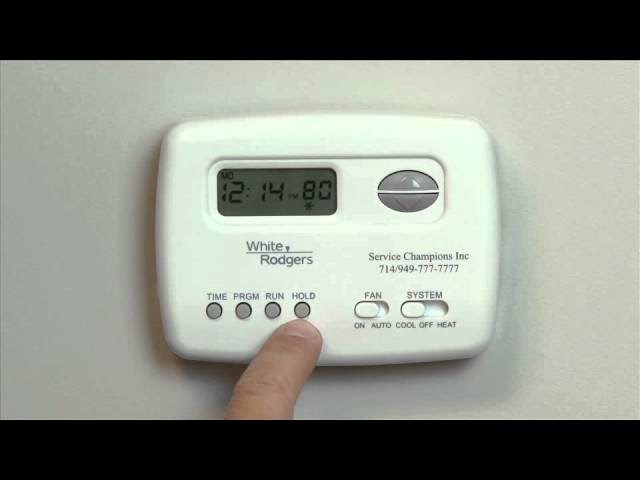
Credit: www.youtube.com
Tips For Maintaining Your Thermostat
Maintaining your White Rodgers thermostat helps it work well for years. Proper care prevents errors and saves energy. Small steps keep your home comfortable and your device reliable.
Follow these easy tips to keep your thermostat clean and functional. Simple habits can avoid common problems and extend the life of your system.
Clean The Thermostat Regularly
Dust and dirt can block sensors and buttons. Use a soft, dry cloth to wipe the surface gently. Avoid using water or cleaning sprays. Keep the area around the thermostat dust-free.
Check The Batteries Often
Low batteries cause the thermostat to reset or stop working. Replace batteries every year or when the display dims. Use high-quality batteries for longer life.
Keep The Thermostat Away From Heat Sources
Direct sunlight, lamps, or heating vents can give false temperature readings. Place the thermostat in a shaded, central spot on the wall. This helps it read room temperature accurately.
Update The Thermostat Settings
Adjust settings for different seasons to save energy. Use the programmable features to set times when heating or cooling turns on. Regularly review settings to match your schedule.
Inspect Wiring And Connections
Loose or damaged wires cause malfunctions. Turn off power before checking wires behind the thermostat. Tighten any loose connections carefully or call a technician if unsure.

Credit: www.wikihow.com
Frequently Asked Questions
How Do I Reset A White Rodgers Thermostat?
To reset, press and hold the reset button on the thermostat. If unavailable, turn off power for 30 seconds. This clears settings and restores defaults. Always consult your model’s manual for exact steps.
Why Reset My White Rodgers Thermostat?
Resetting fixes errors, glitches, or unresponsive screens. It restores factory settings, improving thermostat performance. It also helps when changing HVAC systems or troubleshooting.
Can I Reset White Rodgers Thermostat Without Losing Settings?
No, a full reset typically erases saved programs and preferences. Backup important settings before resetting to avoid inconvenience.
How Often Should I Reset My White Rodgers Thermostat?
Reset only when facing issues like freezing or incorrect readings. Frequent resets are unnecessary and may indicate deeper HVAC problems.
Conclusion
Resetting a White Rodgers thermostat is simple and quick. Just follow the steps carefully to avoid mistakes. This helps fix many common issues easily. A properly reset thermostat saves energy and keeps your home comfortable. Regular checks keep it working well over time.
Remember, small actions can prevent bigger problems later. Feel confident handling basic thermostat resets yourself. This skill helps you maintain your home’s heating and cooling. Keep your thermostat in good shape for better comfort every day.
Check Best Thermostat Pricing in Amazon
** As an Amazon Associate, I earn from qualifying purchases.




