

Check Best Thermostat Pricing in Amazon
** As an Amazon Associate, I earn from qualifying purchases.
Is your digital thermostat giving you the wrong temperature? That can mean your home feels too hot or too cold, even when your thermostat says otherwise.
Luckily, fixing this is easier than you might think. By learning how to calibrate your digital thermostat, you can make sure it reads the temperature accurately. This simple step can save you money on energy bills and keep your home comfortable all year round.
Keep reading, and you’ll discover clear, easy instructions to get your thermostat working just right.
Why Calibrate Your Thermostat
Calibrating your digital thermostat keeps your home’s temperature accurate. It ensures comfort and saves energy. Over time, thermostats can lose accuracy due to dust, age, or wear. Checking and adjusting your thermostat helps maintain proper heating and cooling. This small task can improve your home’s energy efficiency and comfort.
Signs Your Thermostat Needs Calibration
Notice your home feels too hot or too cold. The thermostat shows a different temperature than a separate thermometer. The heating or cooling system runs too long or too short. Rooms have uneven temperatures. Your energy bills rise without any change in use. These signs suggest your thermostat needs calibration.
Benefits Of Accurate Temperature Readings
Accurate thermostat readings keep your home comfortable all day. They reduce energy waste by preventing overuse of heating or cooling. This lowers your utility bills. Proper calibration also extends your HVAC system’s life. It avoids unnecessary wear and tear. Accurate temperature control makes your home healthier and more enjoyable.
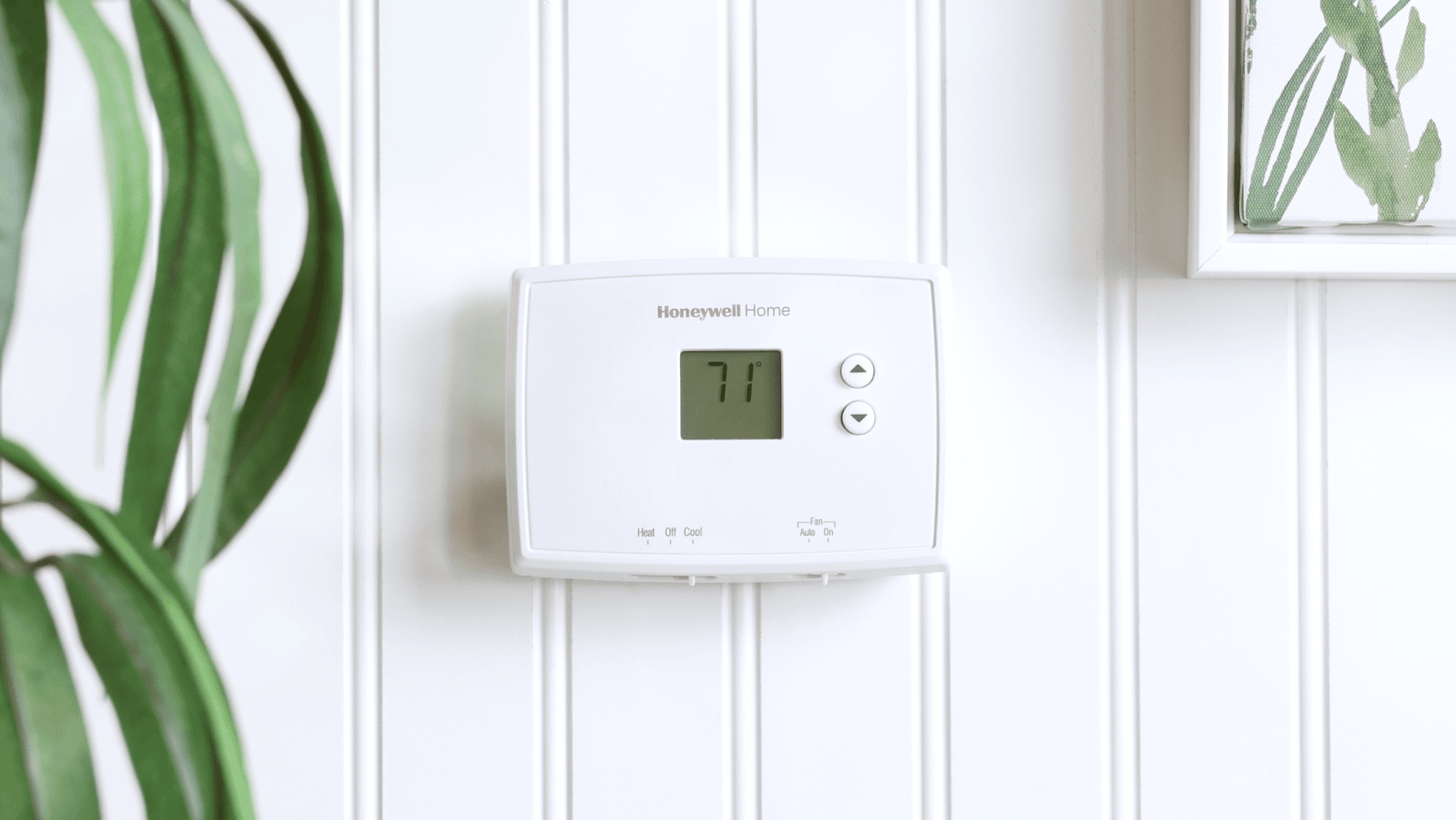
Credit: www.lowes.com
Tools Needed For Calibration
Calibrating a digital thermostat requires a few basic tools. These tools help ensure the thermostat reads the temperature correctly. Using the right items makes the process easier and more accurate.
Gathering the necessary tools before starting saves time. It also helps avoid mistakes during calibration. Here are the key tools needed for this task.
Digital Thermometer
A digital thermometer measures the actual room temperature. It provides a reference point for adjusting the thermostat. Choose a thermometer with good accuracy. Place it near the thermostat to get a correct reading.
Screwdriver Or Calibration Tool
Many thermostats need a small screwdriver for adjustments. Some models come with a special calibration tool. Use the correct tool to turn the calibration dial or screws. This step changes the thermostat’s temperature setting.
User Manual
The user manual explains the calibration process for your thermostat model. It shows where to find the calibration controls. Follow the manual’s instructions carefully for best results. Manuals often include safety tips too.
Preparing For Calibration
Preparing for calibration is the first step to ensure your digital thermostat works well. Proper preparation helps get accurate results. It also makes the process smoother and faster. Follow simple steps to set up the right conditions before you start calibrating.
Turn Off Hvac System
Switch off your heating and cooling system before calibration. This stops temperature changes during the process. It also protects the thermostat from sudden power surges. Wait a few minutes to let the system fully stop.
Choose A Stable Environment
Pick a room with steady temperature for calibration. Avoid places near windows, doors, or vents. These areas can cause false readings. A calm and consistent environment gives better accuracy.
Gather Necessary Tools
Have the right tools ready before you begin. You will need a small screwdriver and an accurate thermometer. A user manual for your thermostat helps, too. These items make calibration easier and more precise.
Step-by-step Calibration Process
Calibrating a digital thermostat helps keep your home comfortable and saves energy. The process is simple and takes only a few minutes. Follow these clear steps to ensure your thermostat shows the correct temperature.
Remove Thermostat Cover
Start by turning off the power to your thermostat. Gently pull off the thermostat cover to reveal the display and controls. Be careful not to damage any wires or parts inside. Removing the cover gives you access to the calibration settings.
Compare Thermostat Reading With Thermometer
Place a reliable room thermometer near the thermostat. Wait a few minutes for the temperature to stabilize. Check the temperature shown on both devices. Note any difference between the thermostat and thermometer readings. This difference shows how much you need to adjust.
Check Best Thermostat Pricing in Amazon
** As an Amazon Associate, I earn from qualifying purchases.
Adjust Thermostat Settings
Look for the calibration or offset setting on your thermostat. Use the buttons or dial to change the temperature reading. Adjust by the amount you noted earlier. Make small changes and check the display after each adjustment. Stop when the thermostat matches the thermometer closely.
Recheck Temperature Accuracy
Put the thermostat cover back on carefully. Turn the power back on. Let the thermostat run for a few minutes to settle. Check the temperature again with the thermometer nearby. Confirm that the thermostat now shows the correct temperature. Repeat adjustments if needed for better accuracy.
Troubleshooting Common Issues
Troubleshooting common issues helps keep your digital thermostat accurate. Small problems can stop it from working right. Fixing these early saves energy and money. Below are common issues and how to solve them.
Thermostat Displays Incorrect Temperature
Check the thermostat’s location first. Direct sunlight or drafts can cause wrong readings. Clean the sensor gently to remove dust. Make sure the thermostat is away from heat sources. Resetting the device might also fix the display error.
Calibration Adjustments Not Working
Confirm you followed the calibration steps correctly. Some thermostats need a longer time to adjust. Check the battery strength; weak batteries affect calibration. If the problem continues, try resetting the thermostat. Consult the manual for specific model instructions.
When To Replace Your Thermostat
Replace your thermostat if errors persist after troubleshooting. Frequent inaccurate readings or failure to calibrate signal a problem. Old models may not support smart features or energy savings. A new thermostat can improve comfort and efficiency. Consider replacement if repairs cost more than a new unit.

Credit: www.reddit.com
Maintaining Thermostat Accuracy
Maintaining your digital thermostat’s accuracy is key to keeping your home comfortable. A thermostat that reads the wrong temperature can waste energy and raise utility bills. Simple steps can help your thermostat stay precise and reliable.
Regular Calibration Schedule
Set a regular time to check your thermostat’s accuracy. Every few months works well. Use a reliable thermometer to compare the temperature readings. Adjust the thermostat if you find a difference. Regular checks prevent long-term errors.
Keep Thermostat Clean And Dust-free
Dust and dirt can block the thermostat’s sensors. This causes false temperature readings. Gently clean the thermostat with a soft cloth. Avoid using water or harsh chemicals. A clean thermostat works better and lasts longer.
Update Thermostat Firmware
Check for firmware updates from the manufacturer. Updates fix bugs and improve accuracy. Follow the instructions to install updates safely. Keeping firmware current helps your thermostat perform at its best.
Credit: blog.smarttouchenergy.com
Frequently Asked Questions
How Do I Calibrate A Digital Thermostat Accurately?
To calibrate a digital thermostat, compare its reading with a reliable thermometer. Adjust the thermostat settings to match the correct temperature. Calibration ensures your system maintains accurate and consistent room temperature.
Why Is Thermostat Calibration Important For Hvac Efficiency?
Proper calibration prevents overheating or overcooling, saving energy and reducing costs. It maintains comfort and extends HVAC system lifespan. An uncalibrated thermostat can cause inefficient heating or cooling cycles.
How Often Should I Calibrate My Digital Thermostat?
Calibrate your digital thermostat at least once a year. Regular checks help maintain temperature accuracy and system efficiency. Also, recalibrate after battery changes or if temperature readings seem off.
Can I Calibrate A Digital Thermostat Myself?
Yes, most digital thermostats allow easy DIY calibration through their settings menu. Follow the manufacturer’s instructions carefully. If unsure, consult a professional to avoid damaging the thermostat.
Conclusion
Calibrating your digital thermostat ensures accurate temperature control. This helps save energy and keeps your home comfortable. Regular checks prevent errors and improve system performance. Follow simple steps carefully for best results. Small efforts lead to better heating and cooling.
Stay aware of your thermostat’s readings and adjust as needed. Enjoy a cozy space without wasting power.
Check Best Thermostat Pricing in Amazon
** As an Amazon Associate, I earn from qualifying purchases.




